
Download Ashampoo Movie Menu – DVD, Blu-ray, menu design, video burning, home movies, custom themes, video editing, personal gifts, media creation, disc authoring
Overview
Ashampoo Movie Menu is a specialized tool designed for users who wish to create polished, professional-grade DVDs and Blu-rays from their home videos. The application focuses on the critical yet often overlooked step of disc authoring—transforming raw video files into shareable, visually engaging media that can be enjoyed on standard home entertainment systems. It serves as a bridge between casual video recording and thoughtful, lasting personal gifts. Ideal for families, event organizers, and content creators seeking to preserve memories in a tangible format, Ashampoo Movie Menu enables users to craft custom menus that reflect the tone and purpose of their video content.
Target users include individuals looking to compile vacation footage, wedding highlights, or birthday celebrations into a cohesive and visually appealing disc. The app’s functionality supports the entire workflow from video import to final disc burning, with a strong emphasis on customization. Although the developer did not provide additional technical details about the company’s background beyond the name, Ashampoo is known in the software space for productivity and media tools. Real-world use cases range from gifting a birthday compilation to grandparents, to archiving a child’s first year with a themed menu. In the broader app ecosystem, Ashampoo Movie Menu fills a niche for desktop-based media creation tools, particularly for users who value physical media over digital streaming.
Key Features & Functionality
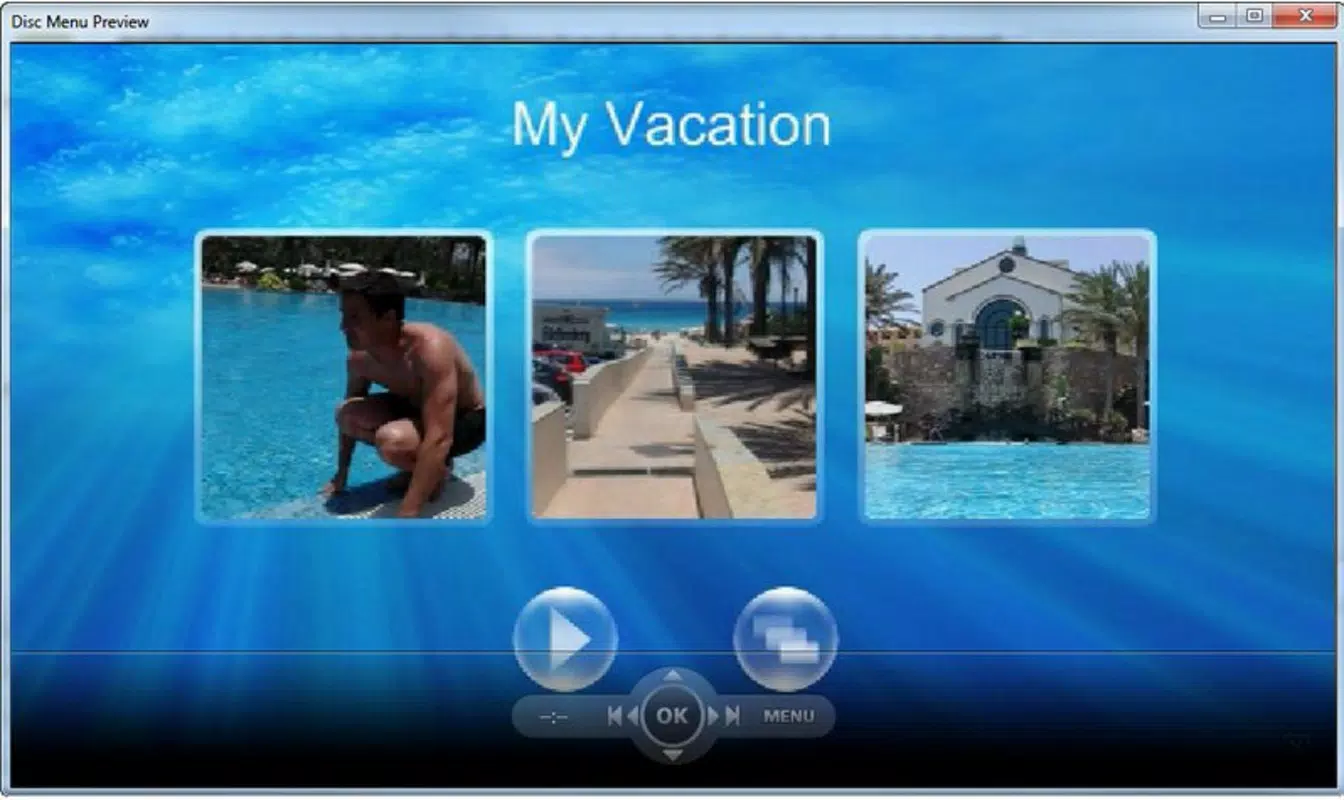
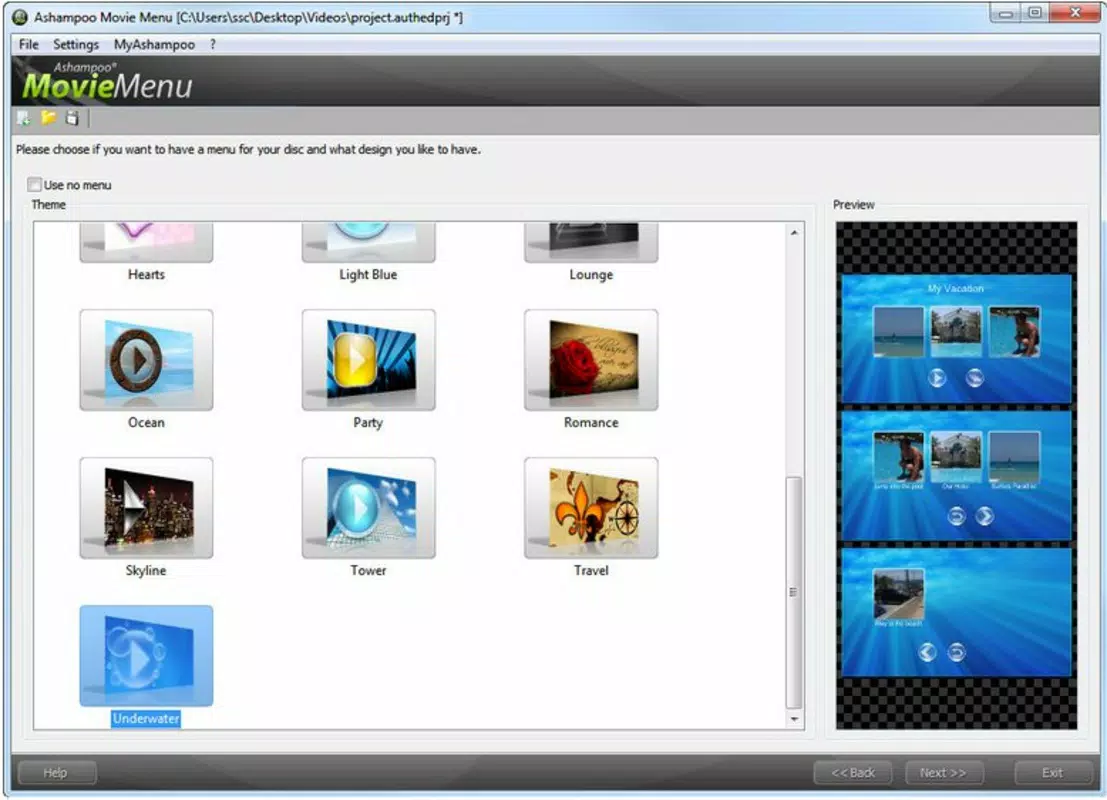
- Variety of Themes: Access a curated collection of high-definition (HD) themes tailored for specific events such as weddings, vacations, and birthdays. These themes provide pre-designed layouts and visual styles that instantly elevate the production value of your disc.
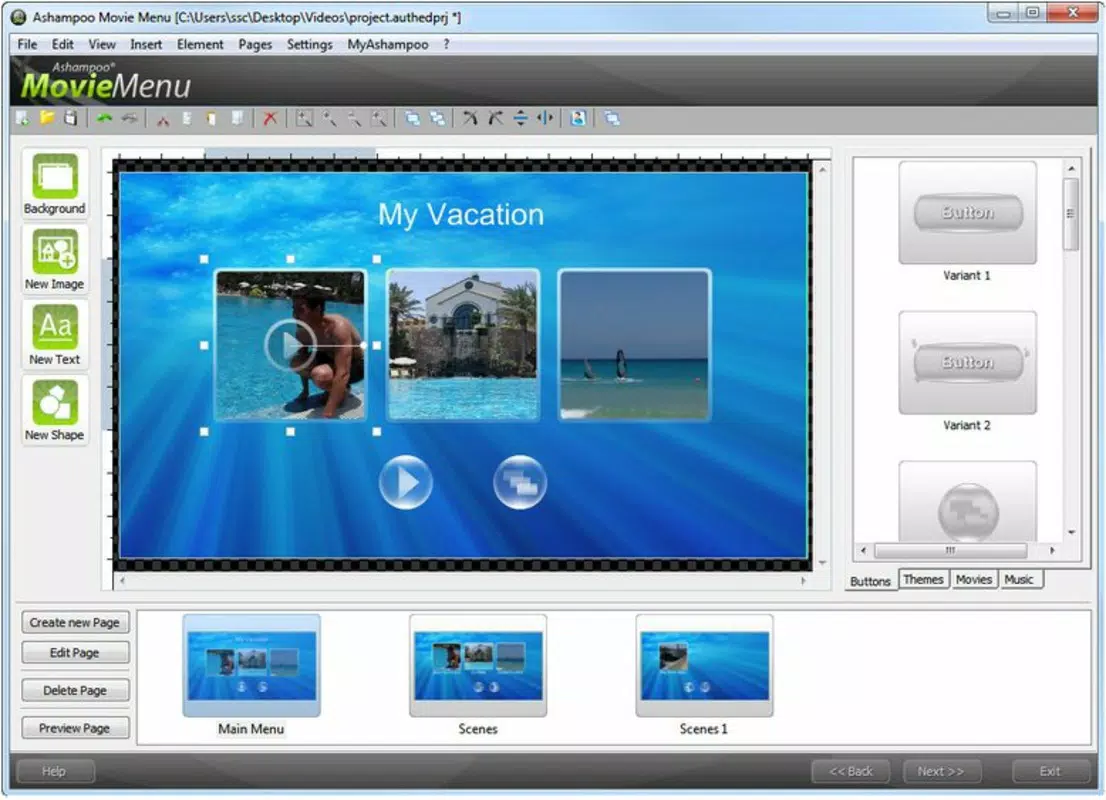
- Full Customization Options: Modify menu elements including background images, button designs, text overlays, and navigation layouts. Users can insert personal photos and adjust colors and fonts to match their creative vision.
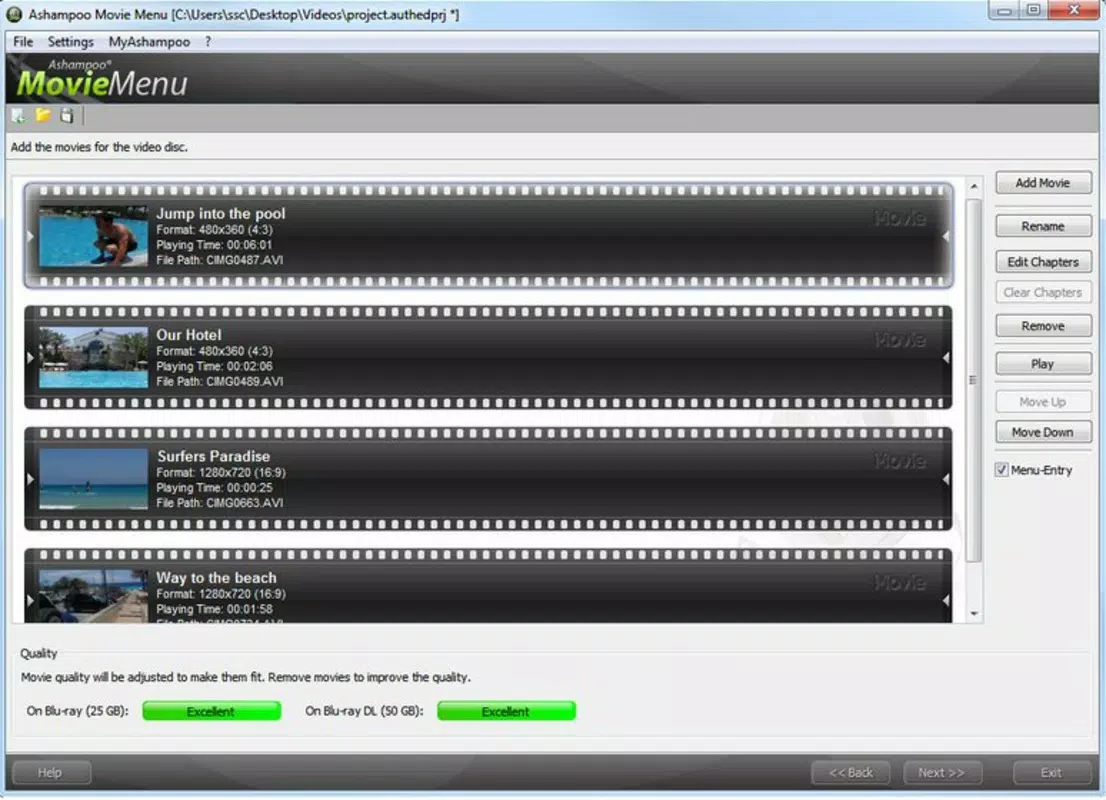
- Adjust Video Dimensions: Optimize video file sizes and aspect ratios to ensure compatibility with single-disc storage without sacrificing visual quality. This feature is especially useful when compiling multiple clips into one cohesive disc.
- Easy to Use Interface: The intuitive layout allows users to navigate through the creation process with minimal learning curve. Even those with limited technical experience can design and burn a disc in a few simple steps.
- Perfect for Gifting: By combining personalized menus with curated video content, users can produce a polished, professional-looking disc that serves as a meaningful and memorable gift.
For example, a user compiling a family vacation video can select a travel-themed menu, insert photos from the trip, add background music, and arrange clips in a logical sequence. The result is a cohesive, interactive disc that can be played on any standard DVD or Blu-ray player. These features collectively support a seamless creative workflow, turning ordinary footage into a cherished keepsake.
Interface, UX & Performance
The interface of Ashampoo Movie Menu is designed with usability in mind, featuring a clean layout with clearly labeled sections for importing media, selecting themes, customizing menus, and initiating the burn process. Navigation is linear and logical, guiding users through each stage of disc creation without confusion. Visual feedback is consistent, with real-time previews of menu designs and video thumbnails helping users make informed choices.
Although the developer did not list formal performance metrics, the application appears optimized for standard desktop environments. It runs efficiently on Windows systems, with responsive interactions and minimal lag during theme selection and layout adjustments. Stability during long burn sessions has been reported in user communities, though no official data was provided.
The application maintains a consistent performance profile across different device categories, including mid-range and high-end desktops. However, specific requirements such as RAM, CPU, or GPU specifications were not disclosed. Users should ensure their system meets general Windows compatibility standards for media software.
Platform Compatibility & Technical Requirements
Ashampoo Movie Menu is designed exclusively for the Windows operating system. The current version is 1.0.0, with a file size of 152.7 MB. This indicates a lightweight installation package, suitable for systems with moderate storage capacity.
The application does not support macOS, Linux, or mobile platforms. The developer did not specify minimum OS requirements, so users should verify compatibility with their current Windows version before installation. It is recommended to use a modern Windows 10 or Windows 11 environment for optimal performance.
No additional dependencies or runtime frameworks were mentioned in the provided information.
Pros and Cons
- Intuitive interface ideal for non-technical users
- High-quality HD themes for diverse event types
- Comprehensive customization options for menus
- Efficient video dimension adjustment for single-disc storage
- Perfect for creating personalized, shareable gifts
- Only available for Windows, limiting cross-platform use
- No mobile or cloud-based version for on-the-go editing
- Price point of $29.99 may be high for casual users
- Outdated release date suggests limited recent updates
- Compatibility information was not fully disclosed
FAQ
Is Ashampoo Movie Menu available for macOS or Linux?
Ashampoo Movie Menu is currently only available for Windows. There is no official version for macOS or Linux.
Can I use this app to burn videos to Blu-ray discs?
Yes, the application supports both DVD and Blu-ray disc authoring, allowing users to create high-quality, interactive discs.
Is there a free version or trial of Ashampoo Movie Menu?
The provided information does not specify a free version or trial. The app is listed at a price of $29.99.
What are the system requirements for running Ashampoo Movie Menu?
The developer did not list specific system requirements. Users should ensure their system meets standard Windows compatibility standards for media applications.
How often is Ashampoo Movie Menu updated?
The last release date was April 4, 2013. No information was provided about recent updates or future development plans.
Final Thoughts + CTA
Ashampoo Movie Menu stands out as a focused, purpose-built tool for users who value the art of physical media creation. While its age and platform limitations are notable, its core functionality remains relevant for anyone looking to transform personal videos into professional-looking DVDs or Blu-rays. The combination of customizable themes, intuitive navigation, and strong emphasis on gifting makes it a valuable asset for family archiving and special occasion projects.
Though it lacks modern features like cloud integration or mobile access, its straightforward workflow and attention to visual detail deliver tangible results. For those who still appreciate the ritual of handing over a custom disc as a gift, Ashampoo Movie Menu offers a reliable and creative solution. Download Ashampoo Movie Menu now.


